

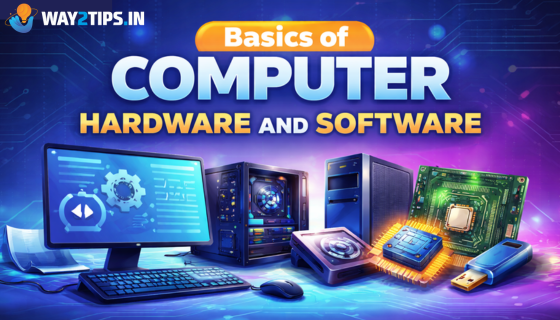
Computers play a vital role in modern life. From education and business to entertainment and communication, computers help us perform many tasks quickly and efficiently. To understand how a computer works, it is important to know the basics of computer hardware and software. These two components work together to make a computer functional.
What is Computer Hardware?
Computer hardware refers to the physical components of a computer that you can see and touch. These parts work together to process data and perform operations.
Hardware is essential because it provides the structure and capability for software to run.
Common Examples of Computer Hardware
- Central Processing Unit (CPU)
The CPU is known as the brain of the computer. It processes instructions and performs calculations required for tasks. - Monitor
A monitor is the display screen that shows the output of the computer, such as text, images, and videos. - Keyboard
The keyboard is an input device used to type data and commands into the computer. - Mouse
A mouse is used to move the pointer on the screen and interact with files, folders, and programs. - Hard Drive / SSD
This device stores data permanently, including the operating system, software applications, and files. - Motherboard
The motherboard connects all hardware components and allows them to communicate with each other. - RAM (Random Access Memory)
RAM temporarily stores data that the CPU needs while performing tasks.
Types of Computer Hardware
Computer hardware is generally divided into four categories:
1. Input Devices
Input devices allow users to enter data into the computer.
Examples:
- Keyboard
- Mouse
- Scanner
- Microphone
- Webcam
2. Output Devices
Output devices display or produce results from the computer.
Examples:
- Monitor
- Printer
- Speakers
- Projector
3. Storage Devices
Storage devices store data for future use.
Examples:
- Hard Disk Drive (HDD)
- Solid State Drive (SSD)
- USB Flash Drive
- Memory Card
4. Processing Devices
Processing devices process and manage computer operations.
Examples:
- CPU
- Graphics Processing Unit (GPU)
What is Computer Software?
Computer software refers to the programs and instructions that tell the computer hardware what to do. Software cannot be touched physically but it controls how the computer operates.
Without software, hardware cannot perform useful tasks and IT fundamentals.
Types of Computer Software
Computer software is mainly divided into three types.
1. System Software
System software manages the computer hardware and provides a platform for other software to run.
Examples:
- Operating Systems
- Device Drivers
- Utility Programs
Common operating systems include:
- Windows
- macOS
- Linux
2. Application Software
Application software is designed to help users perform specific tasks.
Examples:
- Word processing software
- Spreadsheet programs
- Web browsers
- Media players
Popular examples include:
- Microsoft Word
- Google Chrome
- Adobe Photoshop
3. Utility Software
Utility software helps maintain and optimize the computer system.
Examples:
- Antivirus programs
- Disk cleanup tools
- Backup software
These programs improve system performance and protect data.
Difference Between Hardware and Software
| Hardware | Software |
|---|---|
| Physical parts of a computer | Programs and instructions |
| Can be seen and touched | Cannot be physically touched |
| Examples: CPU, keyboard, monitor | Examples: Windows, MS Word |
| Performs tasks based on instructions | Gives instructions to hardware |
How Hardware and Software Work Together
Hardware and software are interdependent. Hardware provides the physical platform, while software provides the instructions.
For example:
- When you type on the keyboard (hardware),
- The operating system processes the input (software),
- And the result appears on the monitor (hardware).
This cooperation allows computers to perform tasks efficiently.
Importance of Understanding Computer Basics
Learning the basics of hardware and software helps people:
- Understand how computers function
- Troubleshoot simple technical problems
- Use computers more efficiently
- Build careers in IT and technology fields
In today’s digital world, computer knowledge is considered an essential skill.
Conclusion
Computer hardware and software are the two fundamental components that make a computer system work. Hardware represents the physical equipment, while software consists of the programs that control these components. Together, they enable computers to perform complex tasks quickly and accurately.
Understanding these basics is the first step toward gaining deeper knowledge in the field of information technology.
About the Author