

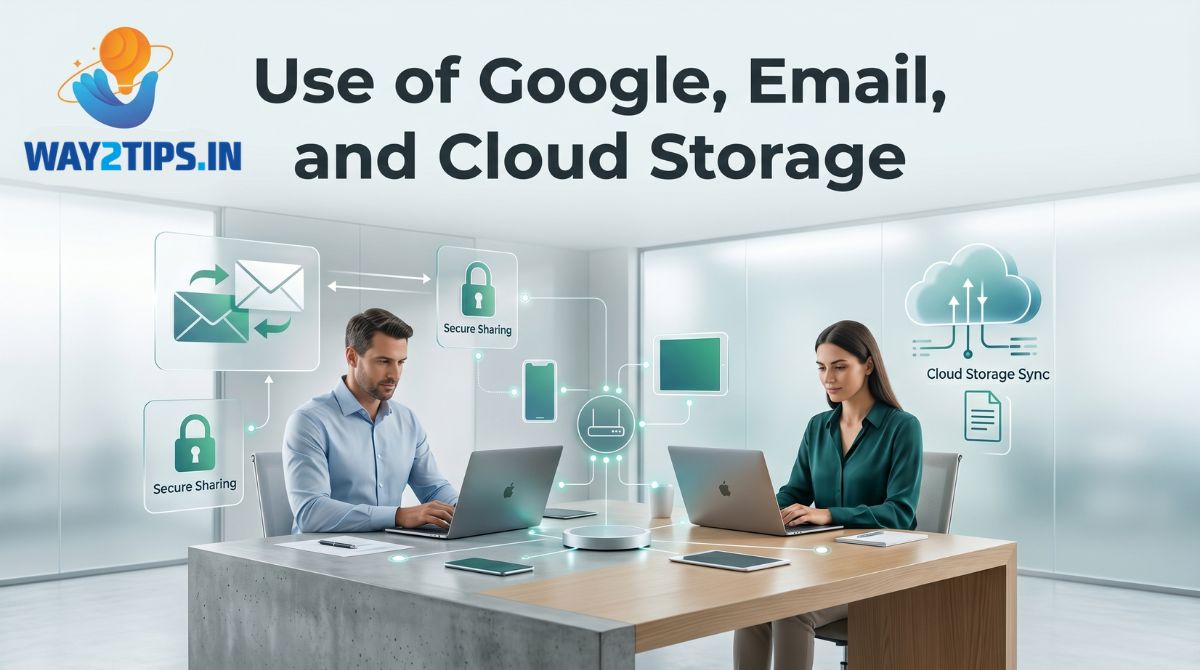
The internet has transformed the way people communicate, work, learn, and store information. Among the most widely used digital tools today are Google services, email platforms, and cloud storage solutions. These technologies have become an essential part of daily life for students, professionals, businesses, and individuals around the world.
Understanding how Google, email, and cloud storage work can help users improve productivity, enhance communication, and securely manage important data.
What is Google?
Google is one of the world’s leading technology companies that provides a variety of online services and applications. It is best known for its search engine, but it also offers many useful tools such as Gmail, Google Drive, Google Photos, Google Maps, Google Meet, Google Docs, and more.
A single Google account gives users access to multiple services that can be used for communication, collaboration, learning, and data management.
Common Google Services
- Google Search
- Gmail
- Google Drive
- Google Docs
- Google Sheets
- Google Slides
- Google Meet
- Google Photos
- Google Maps
- Google Calendar
These services help users perform everyday tasks efficiently from any device connected to the internet.
Understanding Email
Email, short for Electronic Mail, is a method of sending and receiving messages over the internet. It is one of the most popular forms of digital communication used worldwide.
Benefits of Email
Fast Communication
Emails can be delivered within seconds, making communication quick and efficient.
Professional Communication
Businesses and organizations rely heavily on email for official correspondence.
File Sharing
Users can attach documents, images, videos, PDFs, and other files to emails.
Record Keeping
Emails provide a permanent record of communication that can be accessed later when needed.
Global Accessibility
Email can be accessed from anywhere using a computer, smartphone, or tablet.
Gmail: Google’s Email Service
Gmail is Google’s free email platform that offers a secure and user-friendly communication experience.
Features of Gmail
- Large storage capacity
- Advanced spam protection
- Smart inbox organization
- Powerful search functionality
- Integration with other Google services
- Mobile and desktop accessibility
Advantages of Gmail
- Free to use
- Easy account management
- Strong security features
- Real-time synchronization across devices
- Easy integration with Google Drive and Google Meet
What is Cloud Storage?
Cloud storage is a technology that allows users to save data on remote internet-based servers instead of storing everything on local devices.
Files stored in the cloud can be accessed anytime and from anywhere using an internet connection.
Cloud storage helps prevent data loss caused by hardware failure, theft, or accidental deletion.
Google Drive: Google’s Cloud Storage Platform
Google Drive is a cloud-based storage service that allows users to store, organize, share, and manage files online.
Every Google account includes free storage space that can be used for documents, photos, videos, and other digital files.
Features of Google Drive
File Storage
Users can upload and store:
- Documents
- Images
- Videos
- Audio files
- Presentations
- PDF files
File Sharing
Files can be shared securely with individuals or groups through links and permission settings.
Collaboration
Multiple users can edit documents simultaneously in real time.
Automatic Backup
Important files can be backed up automatically from devices to the cloud.
Accessibility
Files can be accessed from smartphones, tablets, laptops, and desktop computers.
Google Docs, Sheets, and Slides
Google Drive includes productivity tools that help users create and edit content online.
Google Docs
Used for creating and editing text documents.
Google Sheets
Used for managing data, calculations, and spreadsheets.
Google Slides
Used for creating presentations for meetings, education, and business purposes.
These applications support real-time collaboration and automatically save changes.
Advantages of Cloud Storage
Access Anywhere
Files can be accessed from any location with an internet connection.
Improved Security
Cloud providers use advanced security systems and encryption technologies.
Data Backup
Important information remains safe even if a device is lost or damaged.
Easy Collaboration
Teams can work together on projects without exchanging multiple versions of files.
Cost Efficiency
Cloud storage reduces the need for expensive physical storage devices.
Applications in Education
Students and teachers use Google services for:
- Online classes
- Assignment submission
- Group projects
- File sharing
- Research activities
- Virtual meetings
Cloud-based tools make learning more flexible and accessible.
Applications in Business
Organizations use email and cloud storage for:
- Internal communication
- Customer support
- Document management
- Remote work
- Team collaboration
- Project management
Cloud technologies help businesses operate efficiently and securely.
Security Best Practices
To protect your Google account and stored data:
Use Strong Passwords
Create passwords using letters, numbers, and special characters.
Enable Two-Factor Authentication
This provides an additional layer of security during login.
Avoid Suspicious Emails
Do not open unknown attachments or click suspicious links.
Keep Recovery Information Updated
Maintain current recovery email addresses and phone numbers.
Review Account Activity
Regularly check account login history and connected devices.
Future of Cloud Computing and Digital Communication
Technology continues to evolve rapidly, making cloud storage and online communication even more powerful.
Future developments include:
- Artificial Intelligence integration
- Smart document management
- Enhanced cybersecurity
- Automated cloud backups
- Advanced collaboration tools
- Faster cloud-based applications
These innovations will further improve productivity and digital experiences for users worldwide.
Conclusion
Google, email, and cloud storage technologies have revolutionized the way people communicate, collaborate, and manage information. Gmail provides fast and secure communication, while Google Drive offers reliable cloud storage and file-sharing capabilities. Together, these tools support education, business operations, and personal productivity. As digital technology continues to advance, understanding and effectively using these services will remain an essential skill for individuals and organizations alike.
About the Author